
Want to transfer your expired domain wins to another registrar? Here’s how to get authorization codes from NameBright in bulk.
DomainCatch is one of the best platforms for snapping up fully deleting domain names.
When you win domains at DropCatch, they are automatically added to a NameBright account. NameBright is owned by the same company as DropCatch.
You can keep your domains at NameBright, and it’s a good choice for many people. After all, it charges “at cost” pricing when you pre-fund your account.
However, many people like consolidating expired domains acquired through the drops at one registrar.
NameBright’s process for getting authorization codes in bulk is a bit unintuitive. So, here’s a step-by-step guide to getting authorization codes in bulk from the registrar.
1. Make sure you’ve waited 60 days since registration. That’s the wait time before a newly registered domain can be transferred to a new registrar. (This is likely changing to 30 days in the future.)
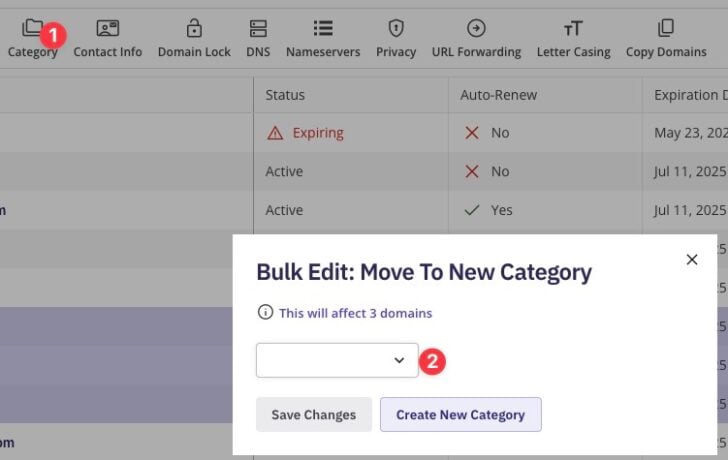
2. Add the domains to a category. Select each domain you want to get authorization codes for, then click “Category” at the top. Create a new category, such as “Transfer Out”.
3. Click on “My Categories” on the left-hand side

4. Click the name of the category

5. Select “More Tools” on the right

6. Choose “Download Auth Codes”, which is the second option.
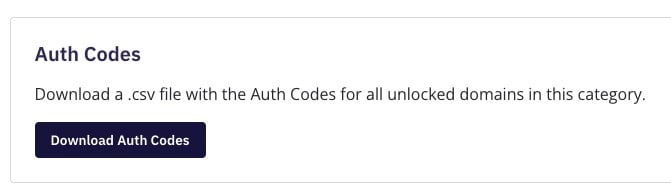
This will download a simple CSV file. Your names will be in the first column, and the authorization codes will be in the second column.

0 Comments